Best Budget Mechanical Keyboards: 2026 Buying Guide

Looking for the best budget mechanical keyboards in 2026? Compare hot-swap picks, switches, and build quality so you can spend under $50 without any regret.
Key Takeaways
- The best budget mechanical keyboards in 2026 are hot-swappable boards from brands like Royal Kludge, Redragon, and Keychron priced around $30 to $45.
- Hot-swap sockets are the single most valuable budget feature because they let you upgrade switches without soldering.
- Avoid boards labeled hybrid or mem-chanical, since they are usually membrane keyboards disguised as mechanical.
On this page
Can a mechanical keyboard under $50 actually feel good to type on, or are you just paying for clicky marketing?
In 2026 the answer is firmly yes, because features that used to cost three figures now ship on boards priced like a fast-food meal.
What Are the Best Budget Mechanical Keyboards Right Now
The best budget mechanical keyboards in 2026 are hot-swappable boards from value brands like Royal Kludge, Redragon, Keychron, and Womier that cost roughly $30 to $45.
These keyboards pair a sturdy plastic case with real mechanical switches, which is what separates them from the mushy membrane boards many gaming brands sell at the same price.
According to MKB Guide's budget keyboard breakdown, a well-chosen cheap mechanical keyboard delivers about 70% of the performance of a $100 board for roughly 40% of the price.
That gap matters because most of the remaining 30% comes from premium materials and tuning that you can add yourself later, especially on a hot-swap board.
If you are buying a keyboard to pair with a laptop or a school machine, check our guide on how to right-click on a Chromebook to make sure your input setup is dialed in before you upgrade.
Budget Mechanical Keyboard Comparison
The table below compares popular picks so you can match a board to your layout and switch preference.
| Keyboard | Price (as of 2026) | Switches | Layout | Hot-Swap |
|---|---|---|---|---|
| Womier VK66 | $29.99 | Linear Red | 65% | Yes |
| Redragon K552 | $35 | Outemu Brown | TKL | No |
| Royal Kludge RK61 | $40 | RK switches | 60% | Yes |
| Keychron C3 Pro | $44.99 | Gateron | TKL | Yes |
| Royal Kludge RK68 | $45 | RK switches | 65% | Yes |
Prices shift with sales, so treat these as 2026 reference points rather than fixed numbers.
Why Hot-Swap Sockets Are the Best Budget Feature
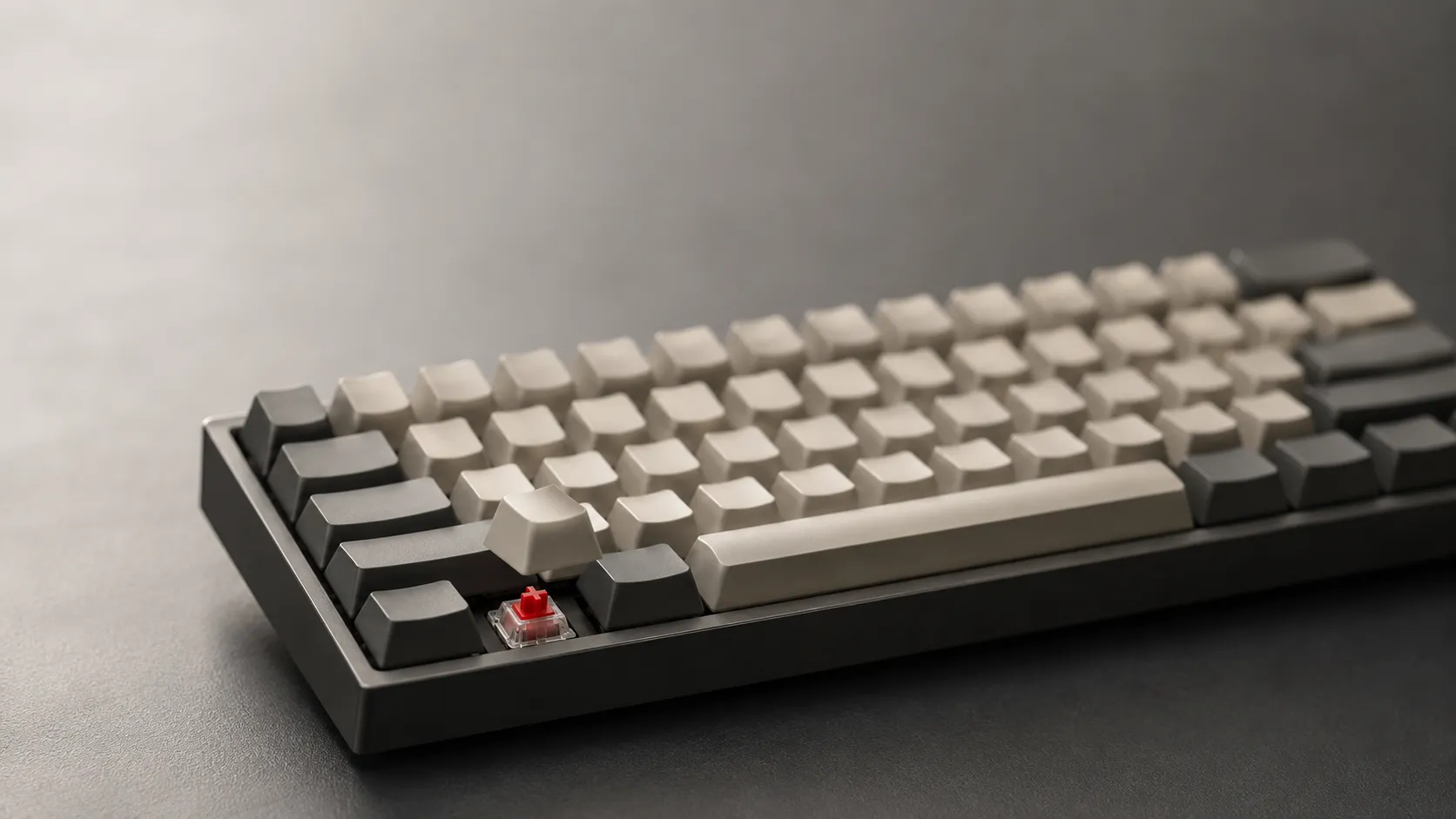
Hot-swap sockets let you pull and replace switches by hand, with no soldering iron and no permanent commitment.
This is the single most valuable feature a cheap mechanical keyboard can have, because it turns a $40 board into a platform you can keep tuning.
Per MKB Guide, hot-swap support is now standard on boards priced at $40 and above, so paying for it no longer carries a premium.
In practice, a $40 hot-swap keyboard paired with a $20 switch set can out-feel a $100 pre-built that has switches fixed in place.
What is easy to miss here is that hot-swap also protects your purchase, since a single dead switch becomes a 10-second fix instead of a reason to replace the whole board.
How to Choose Switches on a Budget
A switch is the spring-loaded mechanism under each keycap that registers your keystroke and defines the typing feel.
Budget boards usually ship with Outemu, in-house brand switches, or occasionally Gateron, and the quality ranges from acceptable to excellent.
Outemu switches are the most common at this price and are perfectly usable, while Gateron switches are rarer on cheap boards but noticeably smoother.
MKB Guide notes that switches at this tier are typically rated for around 50 million keystrokes, which is enough to outlast most of the laptops you would pair them with.
For feel, choose linear switches for quiet gaming, tactile switches for typing feedback, and clicky switches only if noise is not a concern.
What Build Quality and Layout to Prioritize
Build quality on a budget comes down to case rigidity, stabilizer rattle, and whether the board includes sound-dampening foam.
The Keychron C3 Pro shows how far this has come, using a gasket-mount structure plus sound-absorbing foam to deliver a quieter, softer typing experience that used to require a custom build.
It also supports QMK and VIA firmware with a 1000 Hz polling rate, which means full key remapping and a responsive feel on a sub-$50 board.
For layout, a 60% or 65% board saves desk space, a tenkeyless (TKL) board keeps your arrow keys, and a full-size board adds the number pad for spreadsheet work.
Pick the smallest layout you can live with, because a more compact board leaves more room for your mouse and reduces wrist travel.
What to Avoid in a Cheap Mechanical Keyboard
The biggest trap is a board marketed as a mechanical keyboard that is actually a membrane board in disguise.
MKB Guide warns that several budget keyboards from large gaming brands are not truly mechanical, so read the switch spec before you buy.
Terms like "mem-chanical" or "hybrid mechanical" are red flags, since they usually describe a membrane board tuned to mimic a click while keeping the mushy feel.
If a listing hides the switch type or only mentions the lighting, treat that silence as a warning sign.
Frequently asked questions
What is the best budget mechanical keyboard for most people?
For most people, a hot-swappable 65% board in the $40 to $45 range, such as a Royal Kludge RK68 or a Keychron C3 Pro, offers the best balance of features, build quality, and upgrade room.
Are cheap mechanical keyboards actually good?
Yes, a well-chosen cheap mechanical keyboard delivers roughly 70% of a $100 board's performance, and hot-swap support lets you close most of the remaining gap yourself.
Should I prioritize hot-swap switches on a budget?
Yes, hot-swap is the most valuable budget feature because it lets you replace or upgrade switches without soldering, which extends the life and feel of the board.
About the author
The Mixstackrr Team is a group of writers and editors with more than 10 years of combined experience in SEO and consumer tech. We test devices, dig through settings, and turn everyday tech problems into clear, step-by-step guides anyone can follow.